Quiet the room before you record—free fixes for phone-video sound
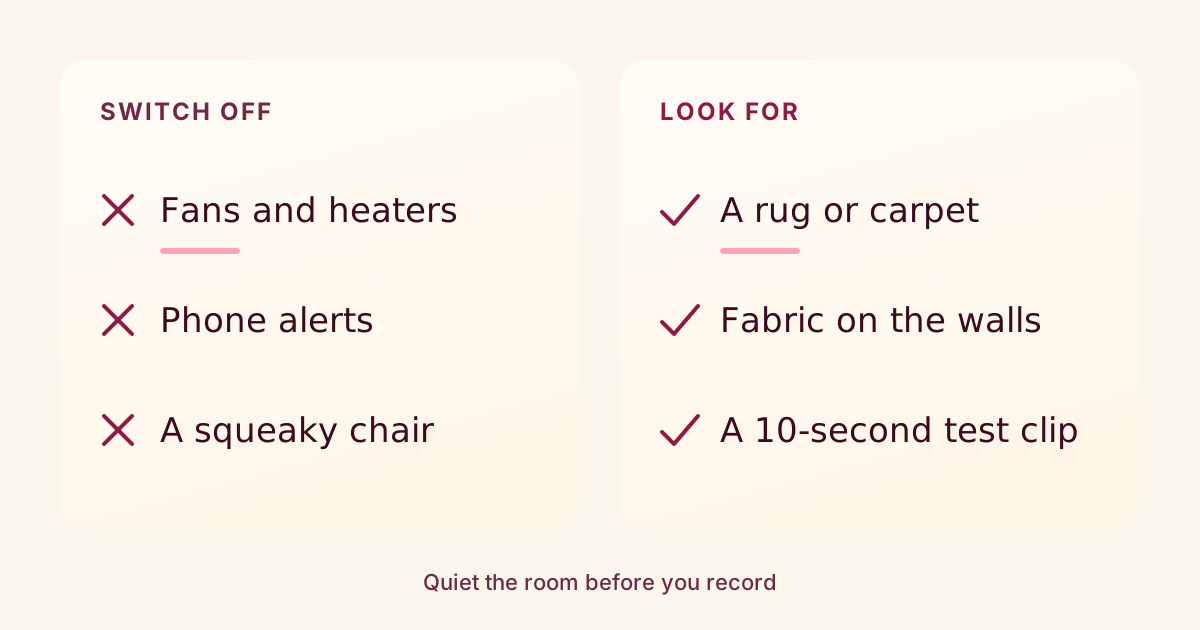
The cheapest sound fixes for a phone video are in the room, not in gear: switch off what hums, record where there is something soft to absorb echo and listen to a short test before the real take.
It is worth the few minutes. A DePaul University guide to video best practices says audio quality is often overlooked but strongly affects how a video is perceived.1Video Best Practicesfac.comtech.depaul.eduJames Moore, DePaul University. Sections “Two: Recording” and the recording checklist.
Switch off what hums
Northwestern’s guide to recording yourself suggests a quiet location with little background noise, naming street sounds, music and other people.2Tips for Recording Yourself on Videonorthwestern.eduNorthwestern University Student Affairs Marketing. Sections “Choosing Your Ideal Shooting Location,” “Answering Questions,” “Clothing and Accessories to Avoid” and “A Few Other Helpful Hints.” It also says to turn off air conditioners and heaters so their fans don’t get into the recording. A desk fan, a dehumidifier or a humming fridge in an open kitchen are the same problem. Turn them back on when you finish.
The DePaul guide adds the human side: record where you won’t be disturbed, with your phone switched off and family, colleagues and pets out of the way.1Video Best Practicesfac.comtech.depaul.eduJames Moore, DePaul University. Sections “Two: Recording” and the recording checklist. If you film on the phone you would normally silence, Do Not Disturb or airplane mode is a reasonable stand-in for switching it off.
Northwestern also flags a seat that makes noise (wheels, swivels, overstuffed cushions or squeaky screws) and accessories that rattle against your audio.2Tips for Recording Yourself on Videonorthwestern.eduNorthwestern University Student Affairs Marketing. Sections “Choosing Your Ideal Shooting Location,” “Answering Questions,” “Clothing and Accessories to Avoid” and “A Few Other Helpful Hints.” A plain chair that stays put is the quiet choice.
Pick the room with something soft in it
Echo is the other room problem. The W3C’s guidance on accessible audio says to avoid rooms with hard surfaces such as tile or wood floors.3Audio Content and Video Contentw3.orgW3C Web Accessibility Initiative. Sections “Create high-quality audio” and “Use low background audio.” The DePaul guide says carpets and fabric wall hangings can reduce background echo, which can otherwise make a voice sound harsh.1Video Best Practicesfac.comtech.depaul.eduJames Moore, DePaul University. Sections “Two: Recording” and the recording checklist.
So the bedroom with a rug and fabric in it is likely the better choice over the bright kitchen with a tile floor, even if the kitchen looks better. If you are also using a window for light, see Face the window for where to stand.
Record ten seconds and listen
Northwestern suggests a short recording test to make sure you can see and hear yourself clearly.2Tips for Recording Yourself on Videonorthwestern.eduNorthwestern University Student Affairs Marketing. Sections “Choosing Your Ideal Shooting Location,” “Answering Questions,” “Clothing and Accessories to Avoid” and “A Few Other Helpful Hints.” Say a line at your normal volume, then play it back with earbuds in. Listen for the hum, the echo and the street.
If a siren or a barking dog cuts across a line during the real take, the Northwestern guide says to simply start the answer again.2Tips for Recording Yourself on Videonorthwestern.eduNorthwestern University Student Affairs Marketing. Sections “Choosing Your Ideal Shooting Location,” “Answering Questions,” “Clothing and Accessories to Avoid” and “A Few Other Helpful Hints.” Pausing and repeating the sentence costs only a few seconds in the edit.
Keep music under your voice
If you add background music, the W3C says to set levels so people can easily tell the speech apart from the background.3Audio Content and Video Contentw3.orgW3C Web Accessibility Initiative. Sections “Create high-quality audio” and “Use low background audio.” For its strictest accessibility level, it suggests background sounds at least 20 decibels below the speech, and it advises avoiding sounds that can be distracting, such as some high pitches and repeating patterns.
Most phone editors don’t show decibels, so a practical version is to turn the music down further than feels necessary, then play the video on your phone’s own speaker. If any word is hard to make out, turn the music down again.
Clean sound helps your captions too
Auto-captions depend on how well the speech can be heard. YouTube’s help page lists poor sound quality among the reasons automatic captions may not appear, and says background noise can make them misrepresent what was said.4Use automatic captioninggoogle.comYouTube Help. Reasons automatic captions may not appear; caption quality. A quieter room is one of the easiest ways to start from better captions. Either way, it is a good idea to read your auto-captions before you post.
None of these sources says how much better a recording will sound, and nothing here promises that cleaner sound changes how a video performs. It makes you easier to hear and understand. That is the claim.
Notes & References
- Video Best Practices, fac.comtech.depaul.edu. James Moore, DePaul University. Sections “Two: Recording” and the recording checklist. Accessed October 9, 2026.
- Tips for Recording Yourself on Video, northwestern.edu. Northwestern University Student Affairs Marketing. Sections “Choosing Your Ideal Shooting Location,” “Answering Questions,” “Clothing and Accessories to Avoid” and “A Few Other Helpful Hints.” Accessed October 9, 2026.
- Audio Content and Video Content, w3.org. W3C Web Accessibility Initiative. Sections “Create high-quality audio” and “Use low background audio.” Accessed October 9, 2026.
- Use automatic captioning, google.com. YouTube Help. Reasons automatic captions may not appear; caption quality. Accessed October 9, 2026.
What to do next
- Turn off air conditioners, heaters and fans before you press record.
- Record in a room with carpet, rugs or fabric rather than one with bare tile or wood floors.
- Silence your phone’s notifications and keep people and pets out of the room for the take.
- Record a short test clip and play it back before the real take.
- Restart the line when a siren, bark or other noise cuts across it.
- Turn background music well below your voice, and check it on your phone’s speaker.
Want to know how a draft will come across before you post it? Three AI viewers watch it and tell you where they’d have left, with notes that jump to the exact moment.
Try a video nowSources
- Tips for Recording Yourself on Video (Northwestern University Student Affairs Marketing) checked October 9, 2026
- Video Best Practices (James Moore, DePaul University) checked October 9, 2026
- Audio Content and Video Content (W3C Web Accessibility Initiative) checked October 9, 2026
- Use automatic captioning (YouTube Help) checked October 9, 2026
Something wrong? Tell us and we’ll fix it and note the change.