Read your auto-captions before you post
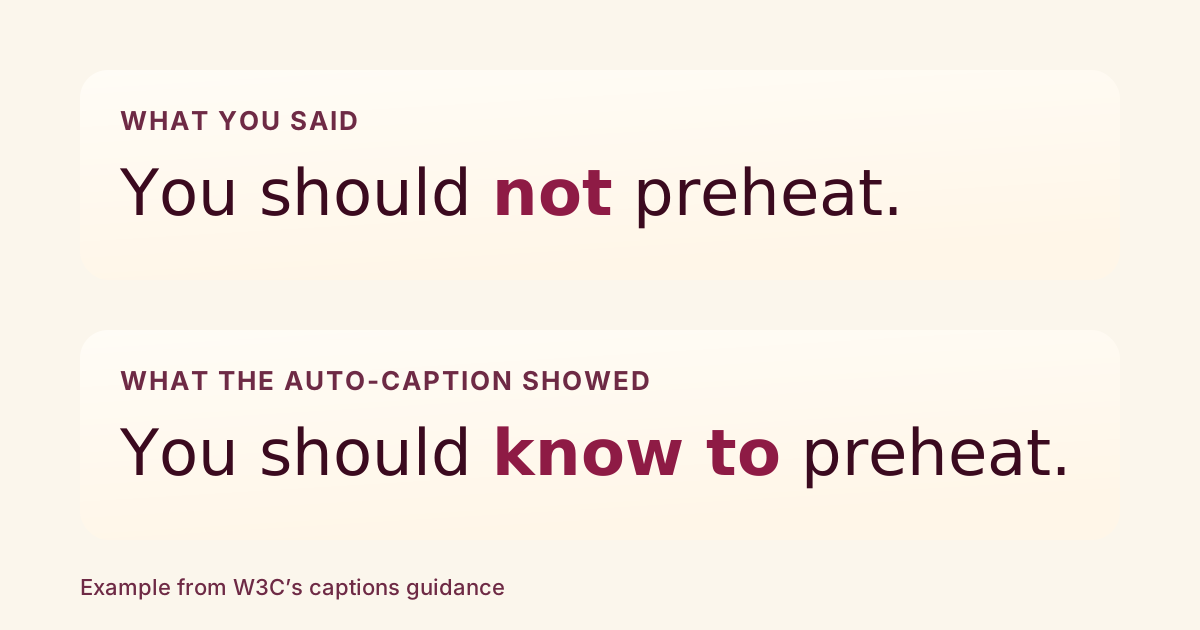
Auto-captions are a good start, but they are not finished captions. The W3C’s accessibility guidance says automatically generated captions often need significant editing, and its example is a good one: the speaker said “not preheat” and the caption read “know to preheat,” which reverses the instruction.¹
So the habit worth building is small: read the captions before anyone else does. Here is where to do that on each platform, as of October 2026.
TikTok
TikTok says captions are generated automatically for videos you upload.² On the post screen, tap More options, then Select video language and choose the language you actually speak. TikTok says eligible videos then show auto-generated captions in that language.
After posting, tap the caption on your video, then Edit captions. You can change or remove any line, then tap Save.
TikTok also has a separate tool, creator captions, that transcribes your speech while you edit. You can preview and change each line, and change the font style and color.
YouTube
In YouTube Studio, choose Subtitles, pick the video, open the menu next to the subtitles and choose to review the automatic captions. You can edit or remove any part that wasn’t transcribed properly.³
YouTube also says the captions can misrepresent what you said because of mispronunciations, accents, dialects or background noise. Its list of reasons automatic captions may not appear includes poor sound quality, a long stretch of silence at the start or several speakers talking over each other or in more than one language at once. If you can, start talking early and record where the room is quiet.
Instagram’s help page says captions are made with speech recognition and may not be available to everyone.⁴ When you upload a reel, tap Stickers, then Captions to generate them.
For a video you already shared, Options, then Manage, Edit and Advanced settings has a toggle for closed captions. The page describes turning them on or off there; it doesn’t describe editing the caption text, so if a caption is wrong and you can’t correct it, turning it off is the documented fallback. Viewers can also choose to always or never show closed captions, and captions on your shared videos show automatically unless you turn them off.
What to look for when you read
The W3C’s transcribing guidance offers a few rules that carry over to captions:
- Break a sentence at a logical phrase, not in the middle of one.
- If you can’t tell what was said, mark it as unintelligible rather than guessing.
- When who is speaking matters, name the speaker the first time.⁵
Names, product terms and numbers are where speech recognition most often slips, so they are worth a second look. That last part is our advice, not a platform claim.
Notes & References
- W3C WAI: Captions/Subtitles. Section “Automatic Captions are Not Sufficient.” Accessed October 4, 2026. {#ref-1} ↩
- TikTok Support: Accessibility for your videos. Sections “Auto-generated captions” and “Creator captions.” Accessed October 4, 2026. {#ref-2} ↩
- YouTube Help: Use automatic captioning. Reviewing and editing captions; reasons captions may not generate. Accessed October 4, 2026. {#ref-3} ↩
- Instagram Help Center: Manage reels and video captions on Instagram. Sections on watching and sharing videos with captions. Accessed October 4, 2026. {#ref-4} ↩
- W3C WAI: Transcribing Audio to Text. Sections on logical phrases, unintelligible speech and speakers. Accessed October 4, 2026. {#ref-5} ↩
What to do next
- Play your video once with captions on and the sound off, reading for missing or swapped words, especially “not.”
- On TikTok, set Select video language before you post, then use Edit captions on the posted video to fix or remove wrong lines.
- On YouTube, open Studio, go to Subtitles and review the automatic captions, and keep the first seconds free of long silence.
- On Instagram, generate captions with the Captions sticker and check the preview, and turn them off under Advanced settings if they are wrong and you can’t fix them.
Want to know how a draft will come across before you post it? Three AI viewers watch it and tell you where they’d have left, with notes that jump to the exact moment.
Try a video nowSources
- W3C WAI: Captions/Subtitles checked October 4, 2026
- W3C WAI: Transcribing Audio to Text checked October 4, 2026
- TikTok Support: Accessibility for your videos checked October 4, 2026
- YouTube Help: Use automatic captioning checked October 4, 2026
- Instagram Help Center: Manage reels and video captions on Instagram checked October 4, 2026
Something wrong? Tell us and we’ll fix it and note the change.